abstract
Anno-Mage is a semi-automatic image annotation tool that suggests bounding box annotations, which users can then confirm, correct, or supplement manually. It supports two detection backends: RetinaNet ResNet50 FPN V2 (PyTorch, COCO-pretrained) and OWL-v2 (Hugging Face Transformers, open-vocabulary zero-shot detection). It significantly reduces the time and effort required to build annotated datasets for object detection tasks. Annotations are exported as CSV or Pascal VOC XML.
Anno-Mage ships as a web app (FastAPI backend + React frontend).
demo
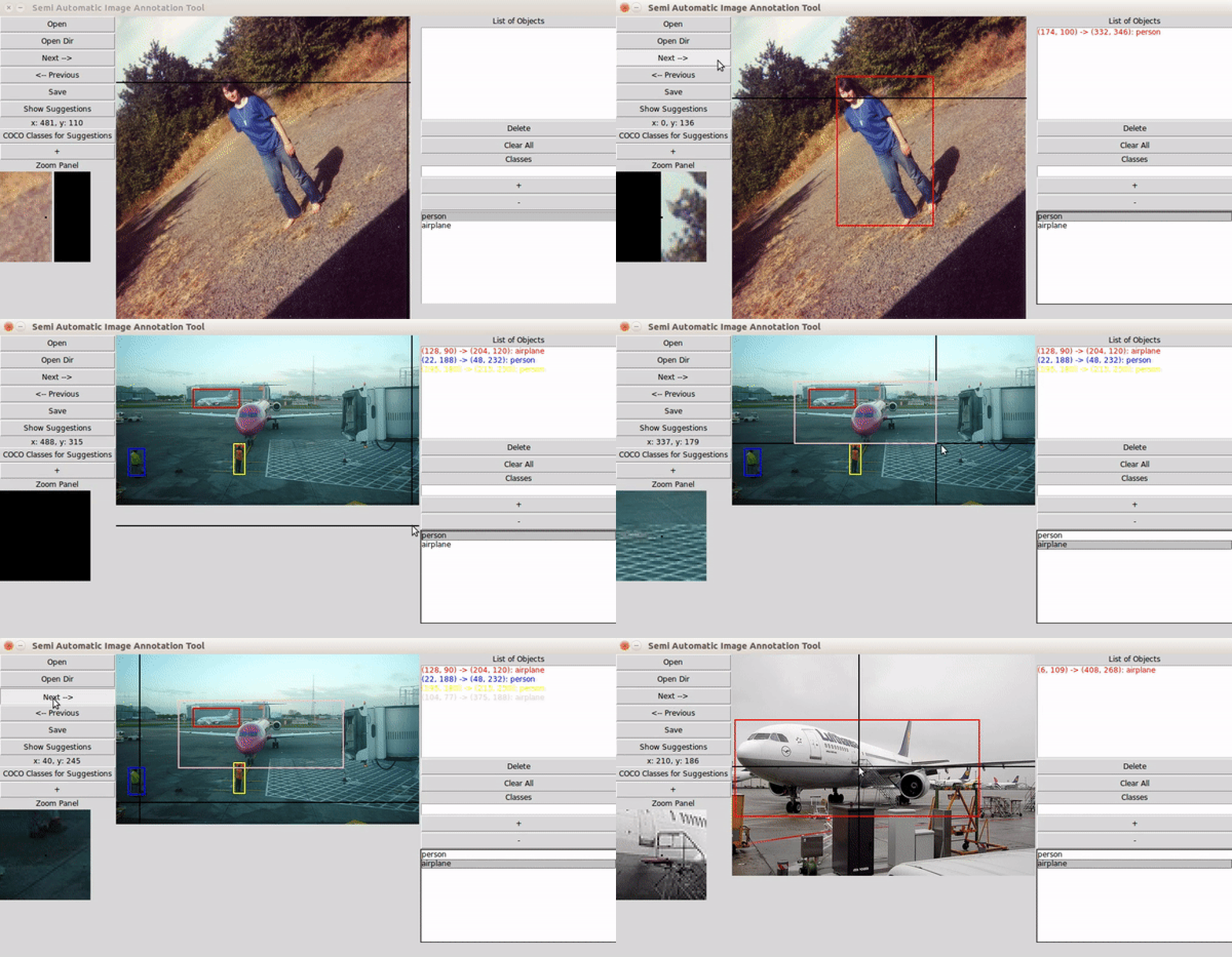
user guide
installation
PyPI package (recommended):
pip install anno-mage
anno-mage
From source:
cd web
bash start.sh
# backend on :8000, frontend on :3000
instructions
- Launch the tool (from source or
anno-mageCLI). - Select the folder of images to annotate.
- Enter your object class names.
- Choose an auto-suggestion engine — RetinaNet ResNet50 FPN V2 (COCO classes) or OWL-v2 (open-vocabulary, any text prompt) — and let it suggest bounding boxes for each image.
- Refine boxes via drag-and-drop; navigate images with arrow keys — annotations save automatically.
usage
Annotations are written to ~/annotations/:
- CSV:
annotations.csv— columns:image_path,x1,y1,x2,y2,label - Pascal VOC XML:
annotations_voc/— one.xmlfile per image
community
Join the discussion on Slack.
acknowledgments
- Meditab Software Inc. — for supporting this project.
- PyTorch / Torchvision teams — RetinaNet backbone powering the auto-suggestion engine.
- Hugging Face Transformers — OWL-v2 open-vocabulary zero-shot detection.
- Computer Vision Group, LDCE — for feedback and testing.